Send survey response notifications to Slack
Give your team a link to a new response in the channel where they work. Each message includes the survey title, response ID and dashboard link. Written answers stay in Plumeform.
You need a Pro workspace and its owner role to save credentials. No third-party scripts are added to the respondent’s survey.
Connect Slack
- Create or choose a Slack app in the workspace that should receive messages. Enable Incoming Webhooks and add a webhook to the workspace. Select the destination channel and approve access.
- Copy the webhook URL. Treat it as a credential: anyone who has it can send messages through that webhook. Workspace app policies may require an administrator’s approval.
- As the Plumeform workspace owner, open the survey builder → Settings → Delivery → Connected delivery. Select Slack and paste the Incoming webhook URL.
- Choose an optional numeric answer condition, leave Enabled checked, and Save connection. The destination channel is the one attached to the webhook in Slack.
- Submit one normal, completed response and check the channel. Use a survey and answers intended for this verification; test-mode responses deliberately do not trigger delivery.
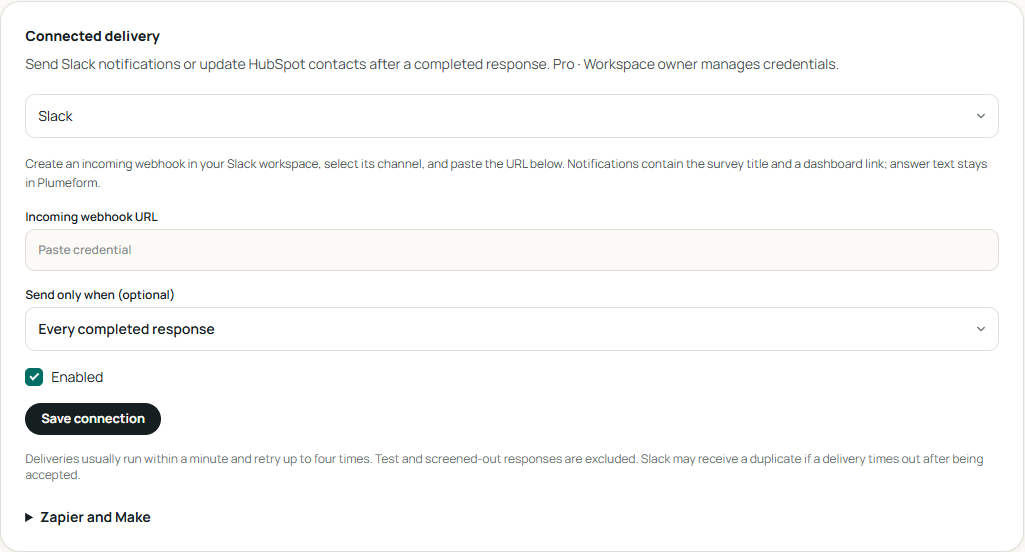
Notify the team about a low recommendation score
Choose your NPS question in Send only when, select At or below, and enter 6. A completed response scoring 4 queues a notification; a score of 9 does not. With no condition, every eligible new completion queues a notification.
Verify, retry or disconnect
Only new completions are queued. Deliveries usually run within a minute, with up to four attempts in total. Open Recent delivery status to inspect attempts and the latest error. After correcting the connection, use Retry on a failed delivery.
Leave the credential field blank when saving other changes to keep the saved credential. To replace it, enter the new value and save. Disconnect removes pending deliveries; it does not undo messages or contact updates already sent. A provider error does not discard the survey response.
If something does not arrive
No message appeared
Check Enabled, the selected channel and your answer condition. Only new completed responses are eligible; test-mode, screened-out and partial responses are excluded. Check Recent delivery status after allowing about a minute.
The webhook was rejected
Check that the URL is the incoming webhook copied from Slack and starts with https://hooks.slack.com/services/. If it was revoked, create a replacement, save the new URL, then retry the failed delivery.
The same response arrived twice
Slack may accept a message even if the acknowledgement times out. A retry can create a duplicate. Use the response ID to recognize the same completion.
A teammate cannot open the link
The dashboard link requires Plumeform access to that workspace. Posting in Slack does not make the response public or grant a workspace seat.